Top 5 User-Friendly Video Editing Software for Quick and Easy Edits
Editing videos can often seem like a daunting task, especially for beginners who may not have any prior experience. Fortunately, there are several user-friendly video editing software options available that simplify the process significantly. In this guide, we will explore the top 5 user-friendly video editing software that allow you to make quick and easy edits without getting bogged down in a complicated interface. These tools are perfect for creating polished videos for social media, YouTube, or personal projects, making video editing accessible to everyone.
- Filmora: Known for its intuitive interface, Filmora offers a variety of features including a drag-and-drop timeline that makes editing simple.
- Adobe Premiere Rush: This software combines simplicity with advanced features, allowing users to edit and share videos seamlessly across devices.
- iMovie: Apple’s iMovie is perfect for Mac users, providing easy integration with other Apple products and simple tools to enhance your videos.
- HitFilm Express: With a robust suite of editing tools, HitFilm Express caters to both beginners and more experienced users, offering a smooth learning curve.
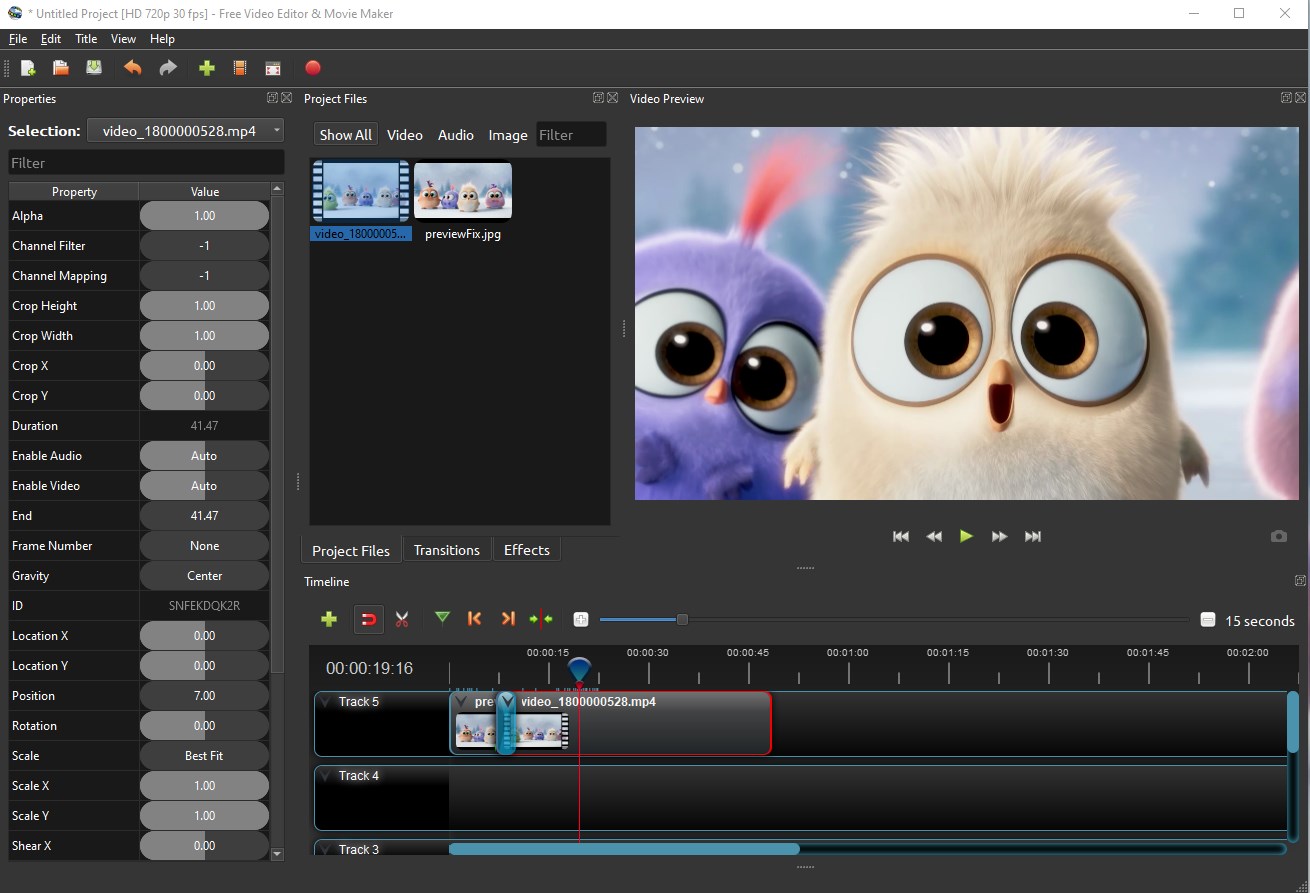
- OpenShot: This open-source software is not only free but also extraordinarily user-friendly, making it great for quick edits and basic projects.
How to Choose the Right Video Editing Software Without Losing Your Mind
Choosing the right video editing software can feel overwhelming, especially with the myriad of options available today. To simplify the process, start by identifying your specific needs. Are you a beginner looking for an intuitive interface, or an experienced editor in need of advanced features? Make a list of your requirements and prioritize them. For example, consider factors like operating system compatibility, ease of use, available features, and your budget. This focused approach ensures you're not swayed by marketing hype and helps you narrow down your options more effectively.
Once you have a shortlist, it's time to evaluate each video editing software option based on user reviews and trial versions. Many software programs offer free trials, allowing you to test their functionalities before committing. Pay attention to the user experience:
- Is the interface user-friendly?
- Do the features meet your editing needs?
- Can you find online tutorials or support easily?
Common Video Editing Mistakes and How the Right Software Can Help
Video editing can be a daunting task, especially for beginners. One of the common video editing mistakes is not having a clear vision of the final product, which can lead to a disorganized timeline and incoherent storytelling. Additionally, other mistakes include poor audio quality, overusing effects, and failing to color correct. These errors can significantly detract from the viewer's experience and undermine the overall impact of the video. Addressing these areas is crucial for creating polished and professional-looking content.
The right video editing software can play a pivotal role in avoiding these pitfalls. Advanced features like intuitive user interfaces, built-in templates, and automated audio enhancements can streamline the editing process and help creators stay focused on their vision. Furthermore, software that offers robust tutorials and community support can empower users to learn more about effective editing techniques, reducing the likelihood of mistakes and elevating the quality of their projects. Invest in the right tools to transform your editing journey and create captivating videos that leave a lasting impression.